🚀 Installation, Updates & Air-Gap
sshs3 is a modern, security-conscious desktop client that pairs an authentic OpenSSH terminal with a dual-pane file manager, Amazon S3 object storage, and Kubernetes workload debugging inside a single desktop application.
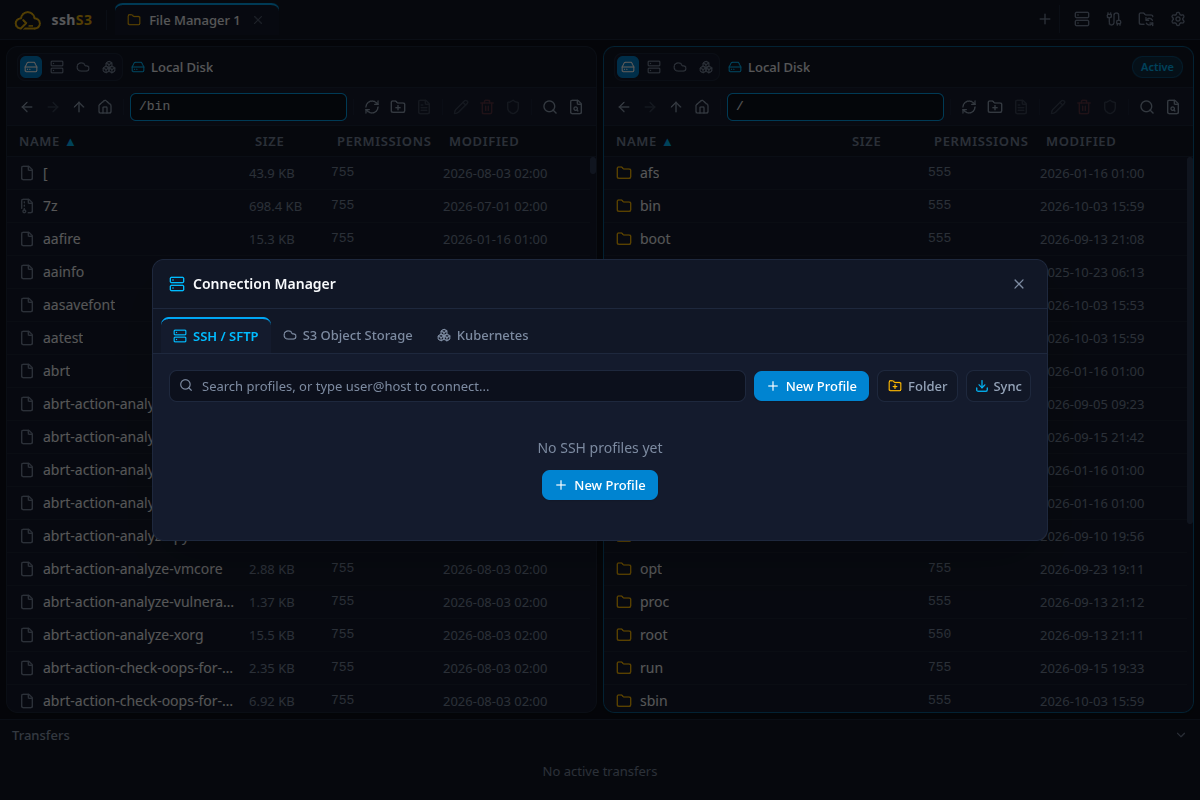
sshs3 start screen with quick connection shortcuts and clean workspace
Installation Packages
| Platform | Format | Execution / Installation Details |
|---|
| Linux |
Standalone AppImage |
Requires no root privileges. Make executable and run: chmod +x sshs3-*.AppImage && ./sshs3-*.AppImage |
| Debian / Ubuntu |
Native .deb |
sudo dpkg -i sshs3_*_amd64.deb (auto-resolves via apt) |
| Fedora / RHEL |
Native .rpm |
sudo dnf install sshs3-*.x86_64.rpm |
| Windows |
Setup Installer |
sshs3-Setup-*.exe — Bundles the VcXsrv X11 server for seamless remote GUI window rendering out of the box. |
| Windows |
Portable Standalone |
sshs3-*-portable.exe — Standalone single-binary requiring zero installation. |
| Windows |
Portable ZIP |
sshs3-*.zip — Pre-extracted archive. When run alongside a local data/ directory, all user profiles and settings are saved locally to <exe-dir>/data rather than %APPDATA%, providing true USB portability. |
💡 Air-Gap Security Flag
sshs3 checks GitHub Releases every 6 hours for software updates without telemetry. For air-gapped or high-security networks, export the environment variable:
export SSHS3_DISABLE_UPDATES=1
When set, all network update checks are completely locked off and no outbound update requests are made.
🗂️ Connection Manager & Complete Field Reference
The Connection Manager provides unified configuration across all your remote servers, local shells, clusters, and buckets.
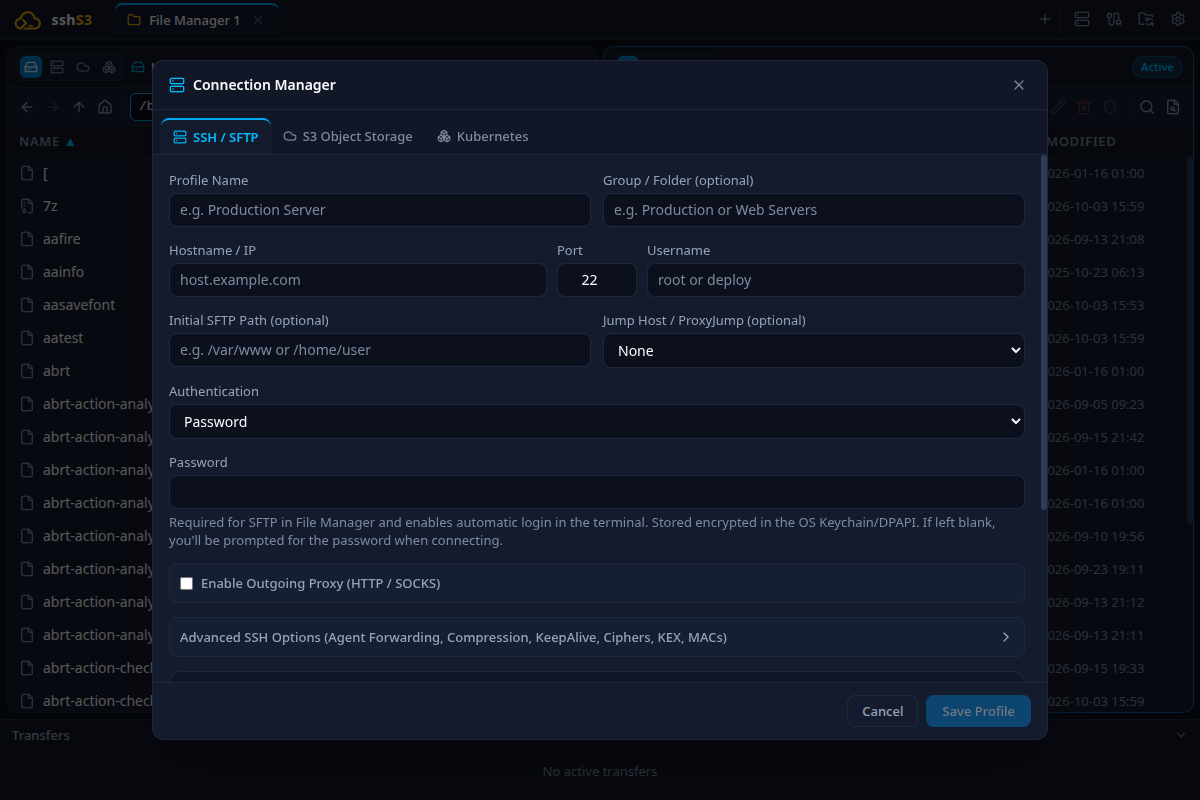
SSH profile creation dialog with basic parameters and authentication selector
SSH Profile Field Reference
| Field Name | Default | Purpose & Description | Limitations & Constraints |
|---|
| Profile Name |
Required |
Friendly display label used in tab headers and connection lists. |
Cannot be empty. |
| Group / Folder |
Empty |
Organises profiles into tree folders (e.g. Production/Web). |
Subfolders supported with forward slashes (/). |
| Hostname / IP |
Required |
Target FQDN (e.g. server.internal) or IPv4/IPv6 address. |
Must be resolvable via DNS or reachable directly or via ProxyJump. |
| Port |
22 |
Target SSH daemon listening port. |
Integer between 1 and 65535. |
| Username |
Required |
Remote user account (e.g. ubuntu, root, deploy). |
POSIX username standards. |
| Initial SFTP Path |
Empty |
Default folder opened in the file manager upon connecting. |
Falls back to user home directory if target does not exist. |
Authentication Methods
sshs3 supports 5 distinct authentication methods:
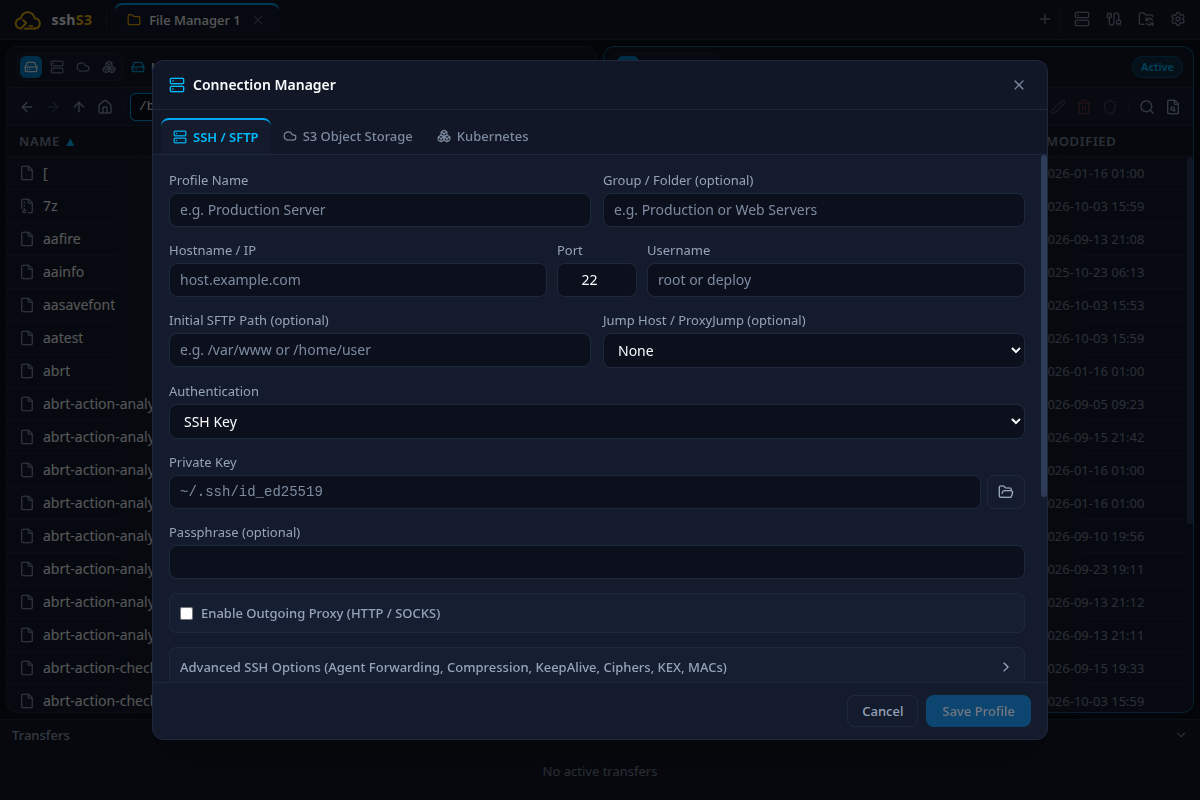
SSH Private Key configuration with passphrase encryption
- Password: Plain password prompt or stored encrypted in OS Keychain / DPAPI. Limitation: Interactive passwords cannot be sampled by the background Performance Bar on Windows.
- SSH Key: Select a private key file on disk (
~/.ssh/id_ed25519, ~/.ssh/id_rsa) with optional passphrase.
- SSH Agent: Inherits keys currently loaded in your running system
ssh-agent or Windows agent service.
- Smartcard (PKCS#11): Hardware authentication via PIV modules (p11-kit, libykcs11, OpenSC, Net iD). PIN is held ephemerally according to your chosen policy.
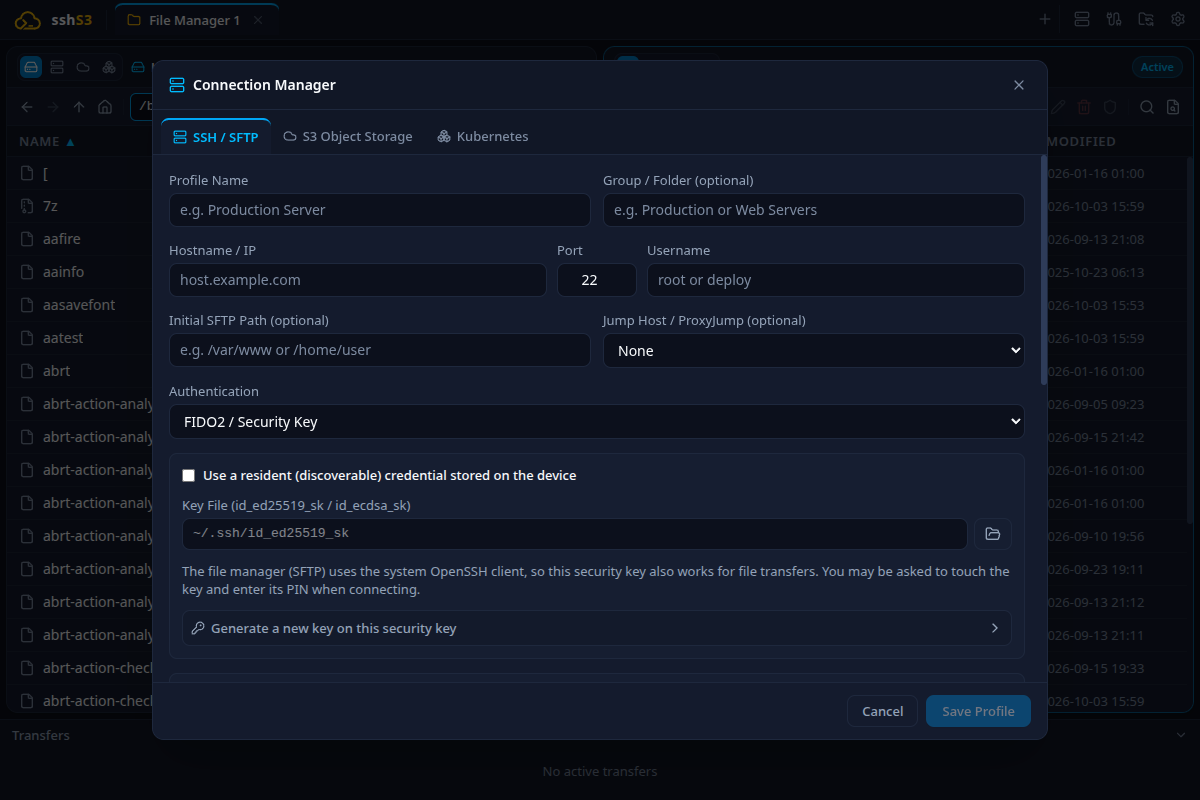
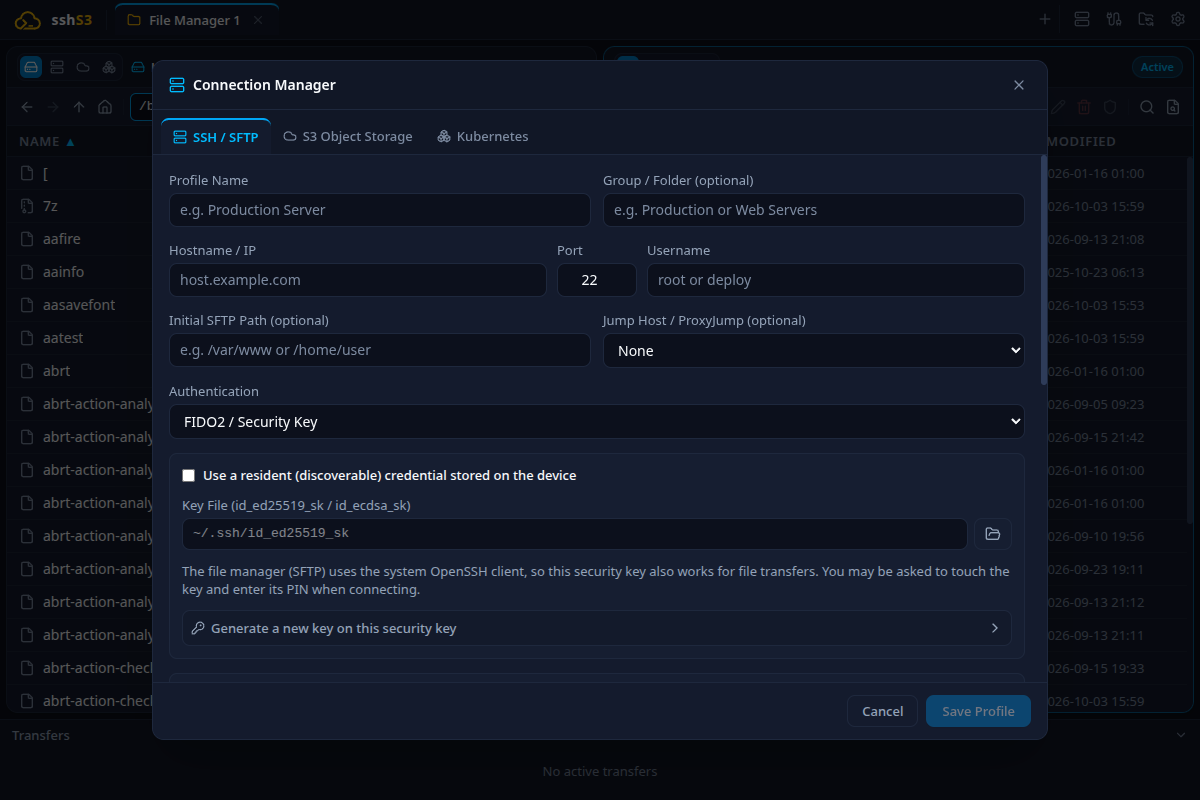
- FIDO2 / Security Key: Hardware keys (YubiKey 5). Supports Resident Keys scanned directly from the hardware token or generated in-app.
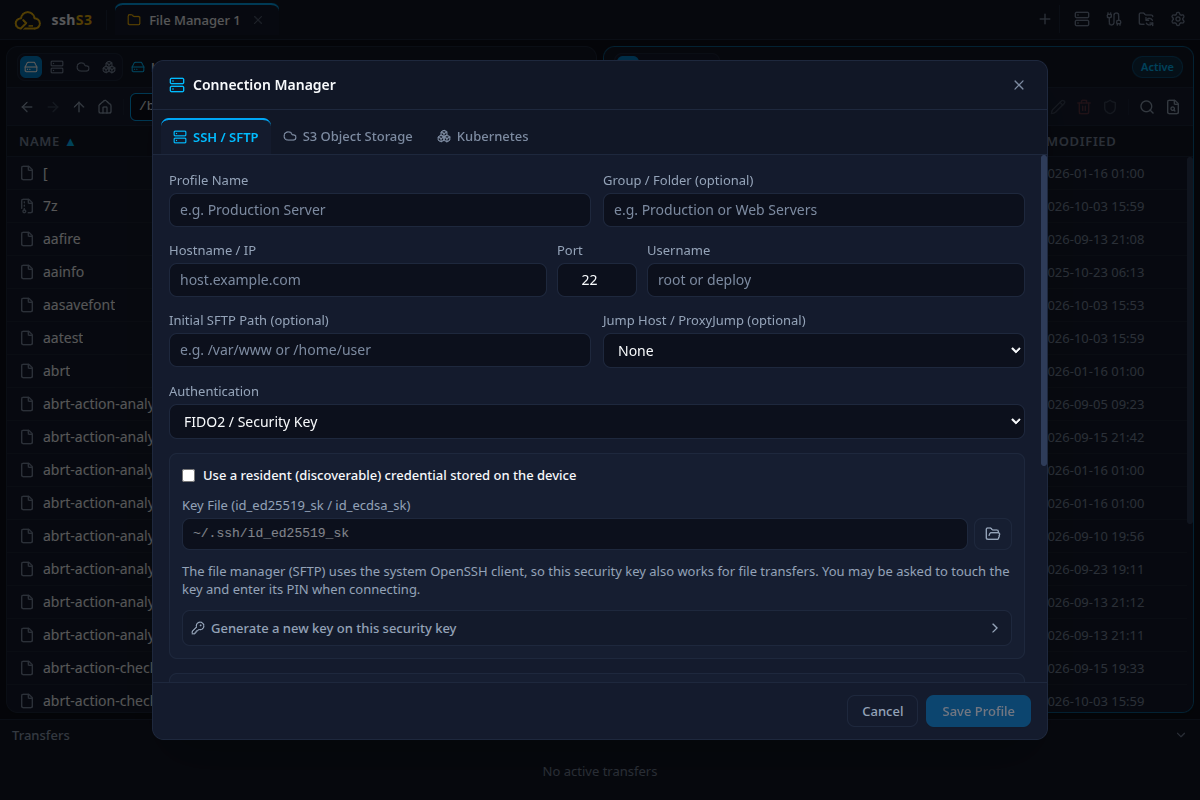
FIDO2 hardware security key configuration and in-app key generator
Access Check & Key Deployment (GUI)
5-stage Access Check timeline and multi-key ssh-copy-id deployment dialog
Click Install key… to deploy one or more public keys directly into ~/.ssh/authorized_keys in a single session. The 5-stage Access Check timeline diagnoses connectivity:
- Reach Host: Verifies TCP connection.
- Host Key: Confirms server key matches
known_hosts.
- Allowed Methods: Silently probes OpenSSH daemon for allowed auth methods without requiring PIN or touch.
- Key Installed: Checks if public key is present in
authorized_keys.
- Login Works: Verifies login succeeds.
Advanced SSH Options
Finer protocol controls: Agent forwarding, X11, Compression, KeepAlive, and Ciphers
| Parameter | Flag | Purpose | Caveat / Limitation |
|---|
| Agent Forwarding |
-A |
Exposes local SSH agent to remote host for chaining connections. |
Security warning: Only enable on trusted servers. |
| X11 Forwarding |
-Y |
Forwards remote GUI applications to local screen. |
On Windows, requires VcXsrv (bundled in Setup installer). |
| Compression |
-C |
Gzip compression of network traffic. |
Useful on slow connections; slightly increases CPU load. |
| ServerAliveInterval |
0 |
Periodic keep-alive packets in seconds. |
Set to 30 or 60 to prevent firewall NAT timeouts. |
| Auto Reconnect |
- |
Automatically retries connection upon sudden drop. |
Configurable max attempts (default: 3) and delay in ms. |
💻 Terminal, Tabs & Split Panes
sshs3 pairs an xterm-compatible terminal frontend with your genuine system OpenSSH process via node-pty.
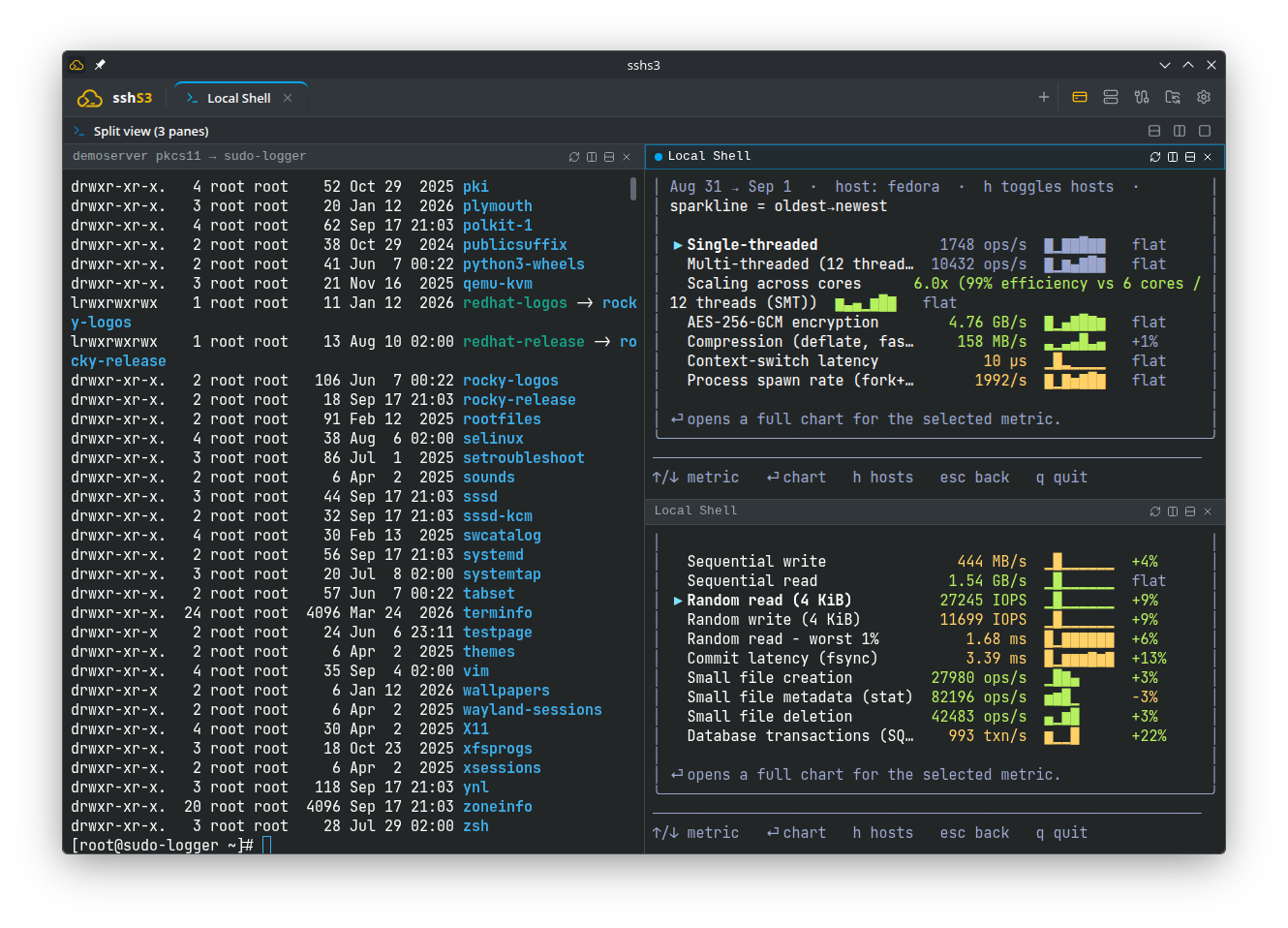
Arbitrary horizontal and vertical split panes with independent sessions
Konsole-Style Recursive Split Panes
| Action | Shortcut | Description |
|---|
| Split Right | Ctrl+Shift+D | Subdivides active pane vertically, adding a pane to the right |
| Split Down | Ctrl+Shift+E | Subdivides active pane horizontally, adding a pane below |
| Next Pane | Ctrl+Shift+N | Cycle keyboard focus forward through panes |
| Previous Pane | Ctrl+Shift+P | Cycle keyboard focus backward through panes |
| Close Pane | Ctrl+Shift+W | Closes focused pane without affecting other running sessions |
| Unsplit | Toolbar button | Maximises the active pane and closes all other split panes |
Local Shells with Managed SSH_AUTH_SOCK
Opening a local shell tab automatically injects SSH_AUTH_SOCK. If you have unlocked a smartcard or YubiKey in an SSH session under Global PIN caching, that unlocked key is immediately available inside local shell commands (e.g. git pull or ssh) without asking for a second PIN.
⚡ Live Performance Bar (Opt-In)
The Performance Bar is an opt-in live telemetry strip above active terminals. It provides real-time system metrics without requiring third-party monitoring agents or extra logins.
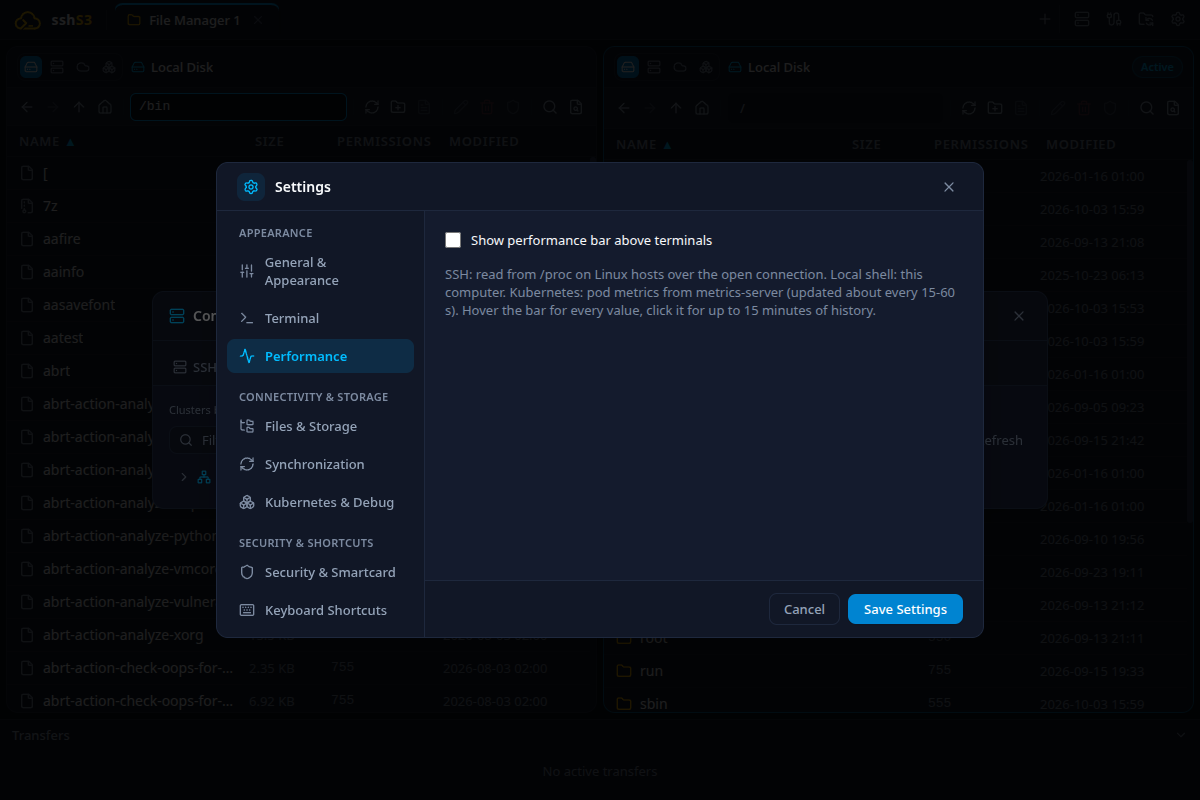
Performance Bar configuration: display layouts, sampling intervals, and metric selection
Sampling Architecture (Zero Extra Prompts)
- SSH Over ControlMaster: Metrics on Linux remote hosts are sampled over the existing OpenSSH ControlMaster socket using read-only
/proc queries with BatchMode=yes. Never prompts for password, PIN, or physical touch.
- Windows SSH Fallback: Uses lightweight non-interactive SSH connections (key/agent only) throttled to at least 10s intervals. Ping is measured via TCP connect time.
- Kubernetes Pods: Reads from
metrics.k8s.io for CPU and memory usage against requests and limits, restart counts, and ready status.
Visual Modes & 15-Minute Diagnostics Modal
Choose between Compact Text, Color-Coded Bars, or Mini Sparklines. Click the bar to open the 15-minute diagnostic modal with donut charts (CPU time, memory split), per-core utilization, and network sparklines.
☸️ Kubernetes & OpenShift Workloads
Inspect, manage, and debug Kubernetes and OpenShift workloads directly from sshs3 without requiring external plugins or daemonsets.
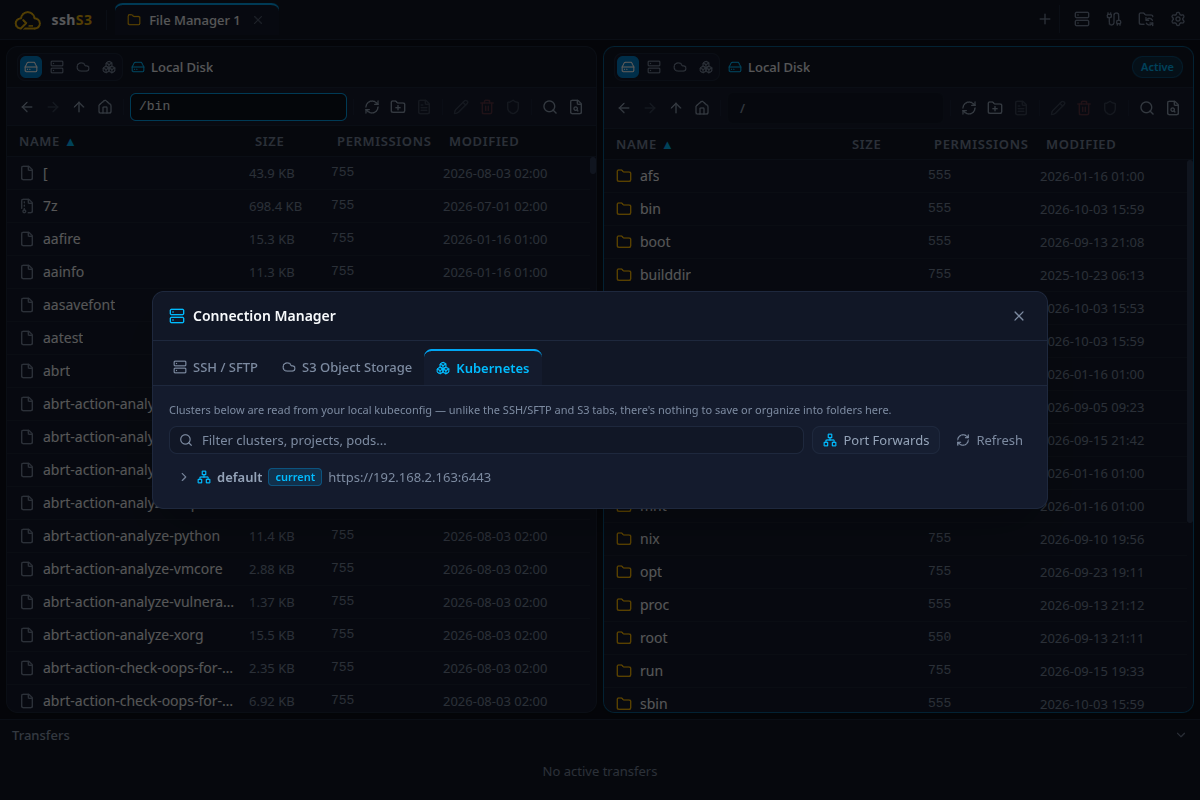
Contexts, namespaces, and pod hierarchy parsed directly from ~/.kube/config
Key Capabilities
- Interactive Container Exec (`tty`): Open interactive pseudo-terminals (
sh, bash, or custom commands) into any pod container, fully integrated with split-view panes.
⚠️ Scratch / Distroless Containers
Containers built from scratch or distroless images without a shell binary cannot launch interactive exec terminals.
- Live Log Streaming: Follow container stdout/stderr in real time with ISO timestamps, tail lines, container switcher, and support for crashed containers (
previous: true).
- Container File Explorer (`K8sPodStorageProvider`): Browse, upload, download, and edit files inside running containers using the Dual-Pane File Manager.
- Port Forwarding: Forward remote pod or service ports to your local workstation loopback interface with live byte counters.
- OpenShift `oc login`: Paste an
oc login command to authenticate directly into your kubeconfig.
📁 Dual-Pane File Manager (SFTP, Local, S3 & K8s)
sshs3 features a dual-pane file explorer capable of transferring data across any combination of protocols: Local ↔ SFTP, SFTP ↔ S3, Local ↔ S3, or Local ↔ Kubernetes Pods.
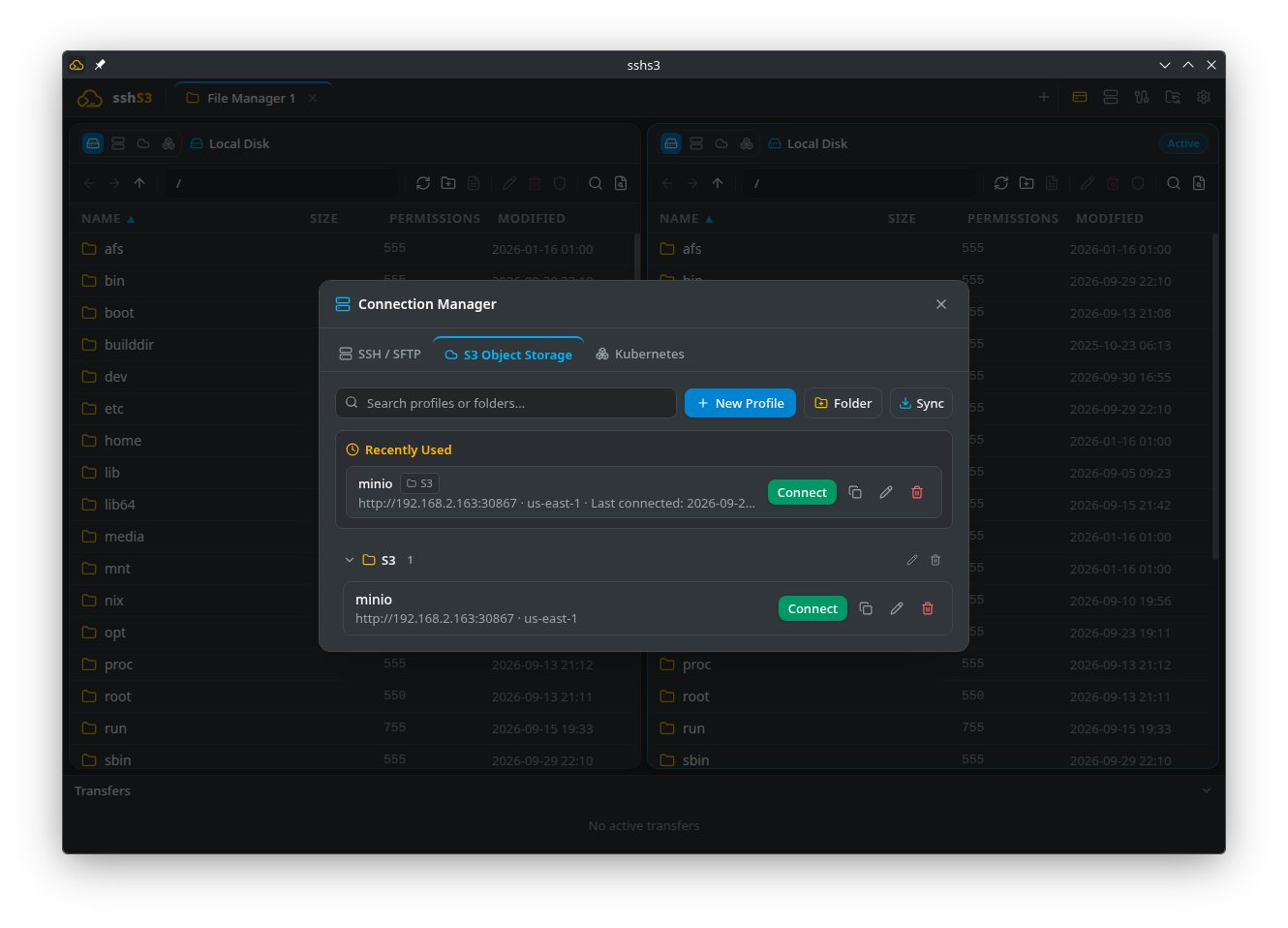
Dual-pane file transfers with transfer queue and conflict resolution
SFTP v3 Engine via OpenSSH
Carried directly over ssh -s sftp via your host system's OpenSSH binary. Features a 16 MB packet safety guard and concurrent chunking for multi-gigabyte transfers.
Recursive Search & Wildcards (Ctrl+F)
Press Ctrl+F in either pane to filter files. Check "Recursive" to search down subdirectories (up to 1,000 matches across 3,000 folders). Supports wildcards (*.log, data-?-final.csv) and avoids symlink loops automatically.
Built-in Monaco Editor & Directory Sync
- Monaco Code Editor: Edit remote files with syntax highlighting for JSON, YAML, Shell, Python, Dockerfile, etc. Press Ctrl+S to save directly back to the server.
- Directory Synchronisation: Compare two folders side-by-side with color-coded diff indicators and execute one-way or two-way synchronisation.
- Permissions & Chmod: Visual and octal file permission editor (e.g.
0755, 0644) with recursive options.
☁️ S3 Cloud Object Storage
Connect natively to Amazon S3, Cloudflare R2, MinIO, Wasabi, Backblaze B2, and custom S3 endpoints using AWS SDK v3.
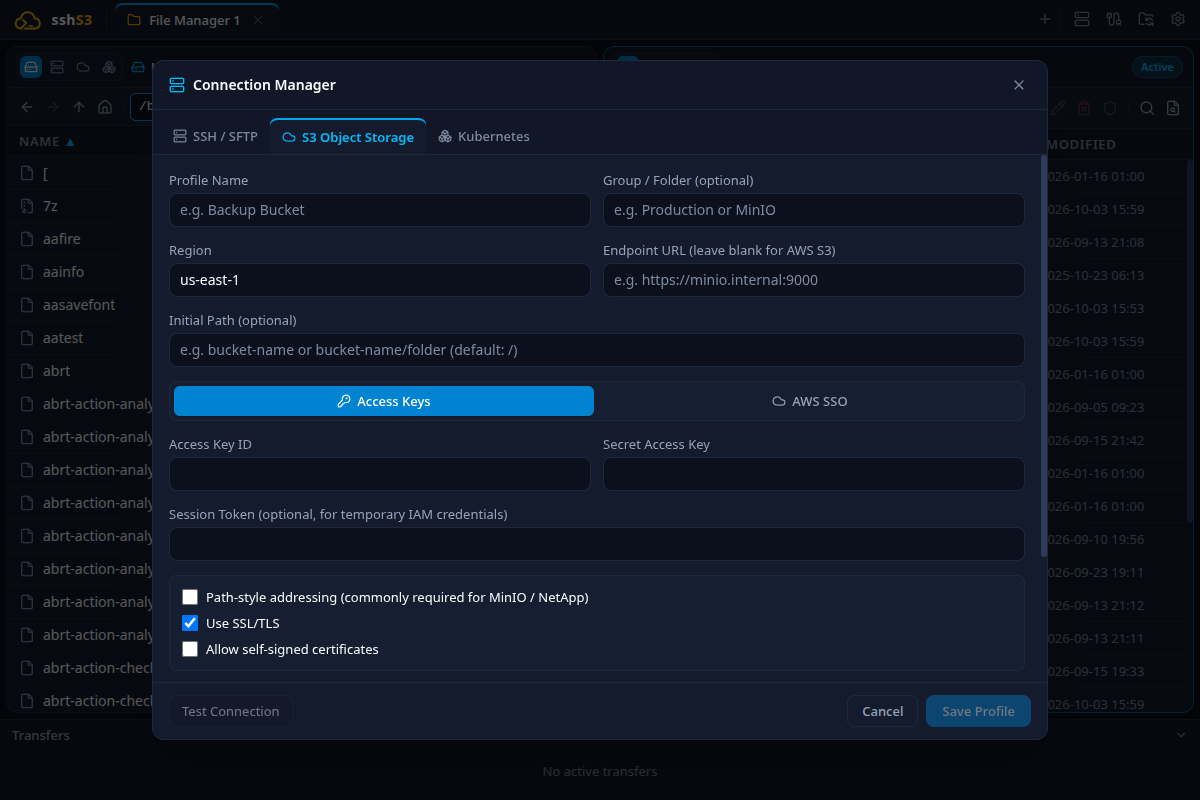
S3 profile form with endpoint configuration, path-style addressing, and encryption
S3 Configuration Field Reference
| Field Name | Default | Purpose & Description | Limitations & Constraints |
|---|
| Profile Name | Required | Friendly label for S3 connection. | Cannot be empty. |
| Region | us-east-1 | Target AWS / S3 region (e.g. eu-north-1, auto for R2). | Must match bucket region. |
| Endpoint URL | Empty | Custom endpoint for MinIO, Wasabi, or R2. | Leave empty for official Amazon S3. |
| Path-Style Addressing | On | Forces requests in endpoint/bucket/key format. | Mandatory for MinIO and local IP endpoints. |
| Server-Side Encryption | None | Server encryption: None, SSE-S3 (AES256), or SSE-KMS. | SSE-KMS requires KMS Key ID on server. |
🛡️ Security, Hardware Keys & Smartcards
Security is the foundation of sshs3. All operations adhere strictly to zero-trust architecture.
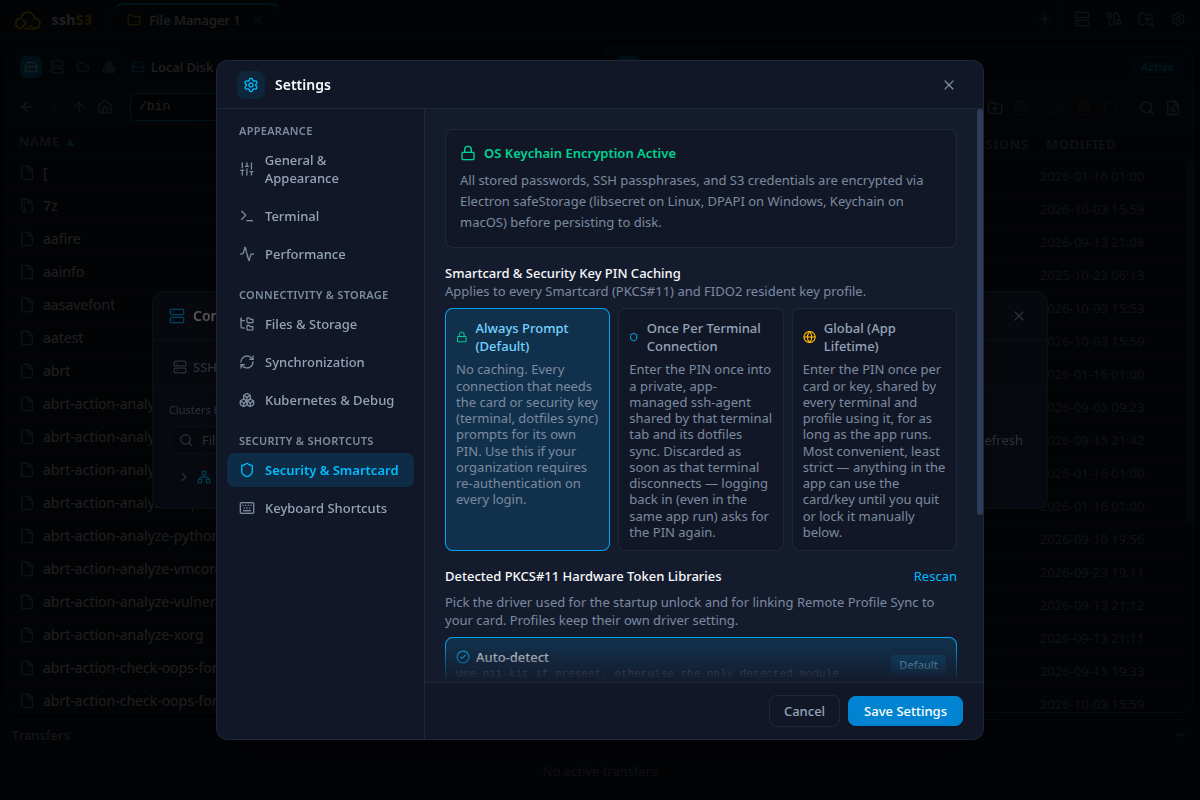
PIN caching policies and preferred PKCS#11 module configuration
Zero Private Key Extraction
Private keys are never accessible to the JavaScript or renderer layer:
- FIDO2 / WebAuthn Keys: Cryptographic signatures are calculated directly on the physical security chip (YubiKey). The private key cannot be extracted.
- Smartcards (PKCS#11): Keys reside inside the card's secure element; operations are delegated via p11-kit, libykcs11, or OpenSC.
- Software Keys: Read and processed exclusively by your operating system's native
ssh binary.
Visual Touch-Presence Banner
When authenticating with a FIDO2 hardware key, sshs3 displays an animated touch-presence banner: "Touch your security key to authenticate..." so you always know when your key is waiting for physical touch.
Ephemeral PIN Caching Policies
- Per-Session (Default): PIN is requested on connect and discarded after the handshake.
- Global (App Lifetime): PIN is cached in volatile memory during the app run so you don't re-enter it for new tabs or split panes. Purged completely upon exit.
- Never: Prompts for PIN on every single cryptographic operation.
⚠️ Never on Disk
PIN codes and passphrases are never written to disk under any circumstance.
🔑 Public Key Deployment (`ssh-copy-id` GUI)
Install public keys onto remote servers effortlessly using sshs3's built-in key deployment tool and 5-stage Access Check timeline.
Idempotent Multi-Key Installation
- Select local
.pub files, active SSH agent keys, smartcard/FIDO2 public keys, or paste a key string.
- Installs into
~/.ssh/authorized_keys in a single session; sets correct 0700 and 0600 permissions.
- Reports whether each key was "Installed" or "Already Present".
- Smart authentication: Uses your password or existing credentials for the setup and avoids attempting to authenticate with the key being deployed.
Offline / Copy Command Generator
Need to configure an offline server? Click Copy Command in the Access section to generate a ready-to-paste shell script:
mkdir -p ~/.ssh && chmod 700 ~/.ssh && echo 'ssh-ed25519 AAAAC3... user@box' >> ~/.ssh/authorized_keys && chmod 600 ~/.ssh/authorized_keys
🌐 Networking, Proxies & SSH Tunnels
Navigate complex topologies, jump hosts, and internal private subnets with ease.
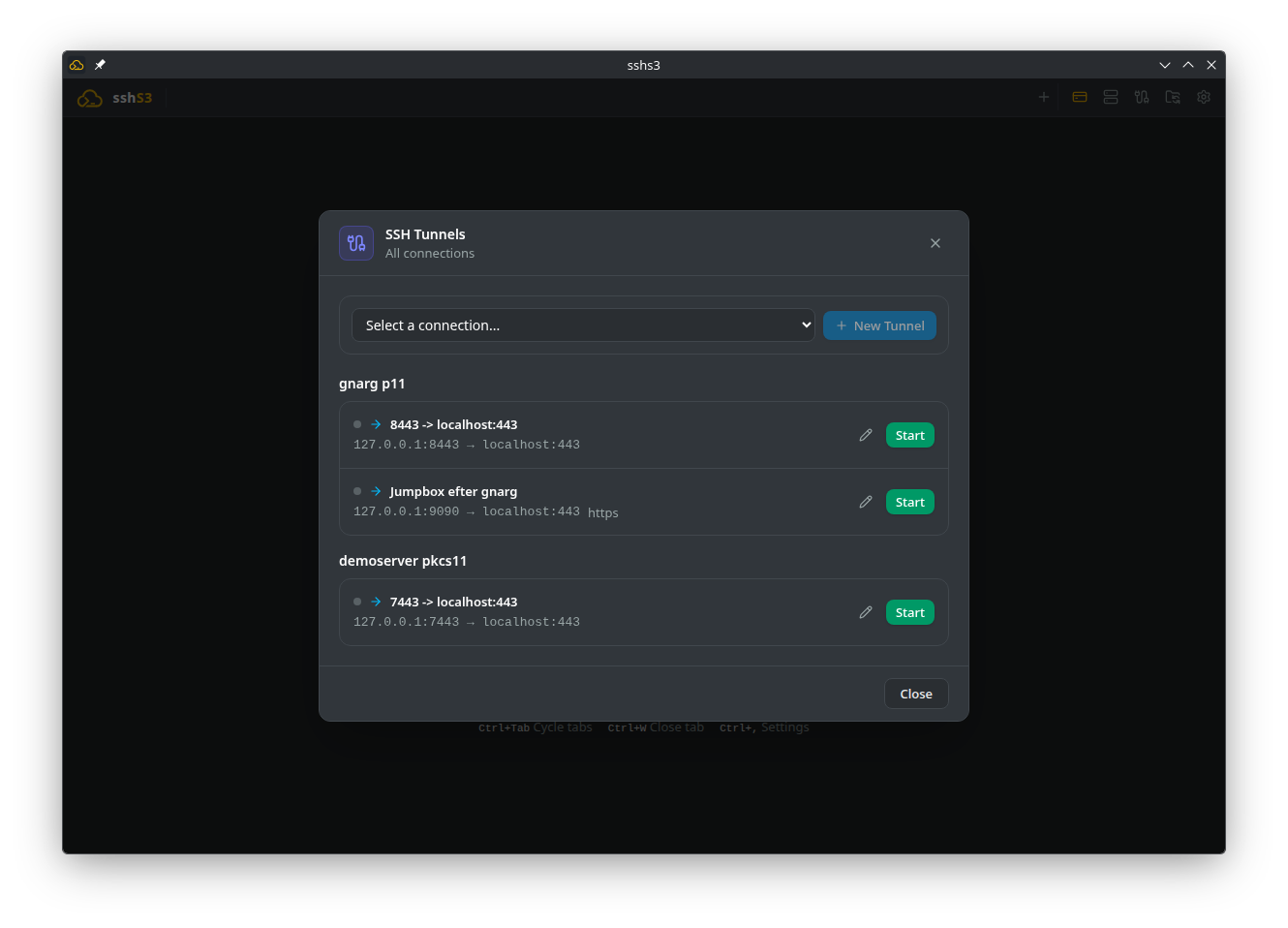
Independent background SSH Tunnels manager
ProxyJump & Bastion Chains
Configure one or more bastion jump hosts directly in the profile editor. Connections route through the bastions with full end-to-end encryption between your computer and the target server.
Standalone Background SSH Tunnels
- Local Port Forwarding (`-L`): Expose remote databases or web services on local ports.
- Remote Port Forwarding (`-R`): Expose local development servers to remote networks.
- Dynamic Port Forwarding (`-D`): Spawns a local SOCKS5 proxy (e.g.
127.0.0.1:1080) for routing web traffic.
- Independent Lifecycle: Tunnels continue running in the background even if you close all terminal tabs. Save and manage tunnel configurations with one click.
X11 GUI Forwarding
Launch graphical applications (e.g. xclock, virt-manager) on remote servers and render them locally. Windows builds bundle VcXsrv, automatically managing display routing.
🔄 Environment & Profile Sync
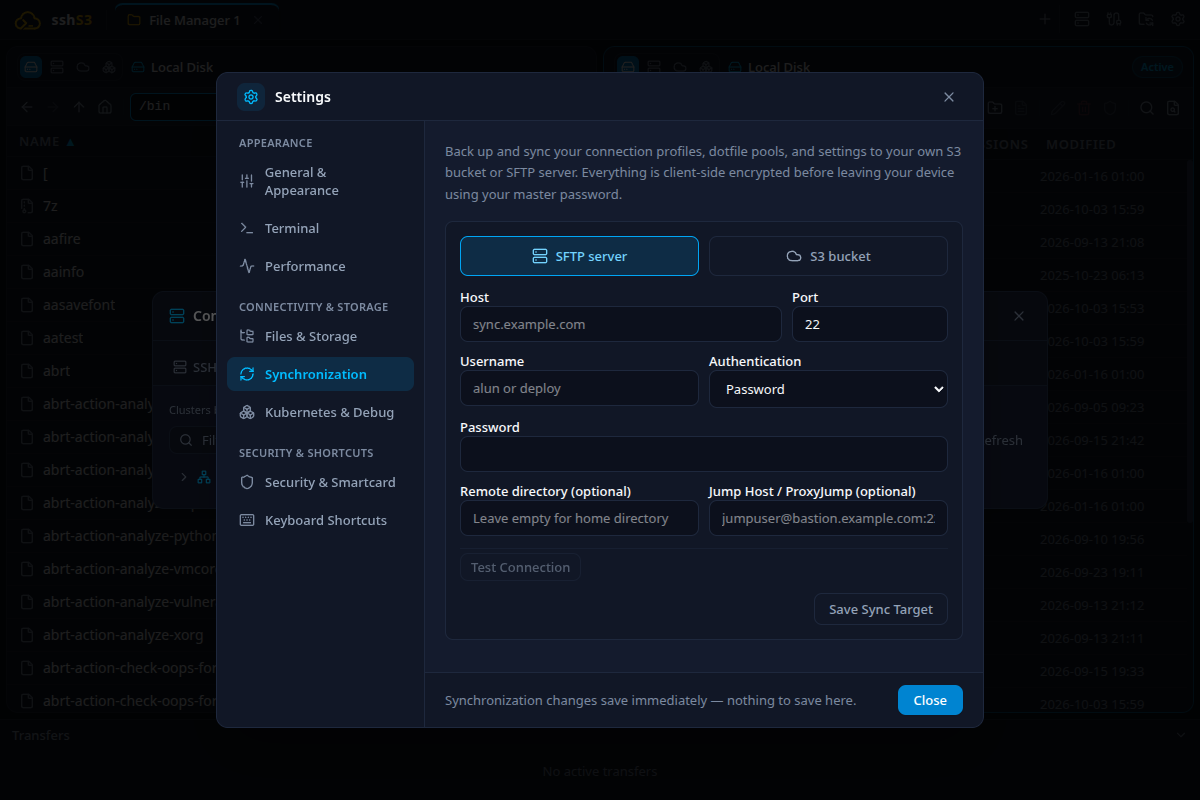
Client-side encrypted profile sync and dotfiles pool management
Dotfiles Pool Sync (Opt-In)
Maintain your favorite aliases, .bashrc, and .vimrc configurations on remote servers without cluttering persistent server configuration. The dotfiles pool stages your files into an isolated session directory upon login.
Remote Profile Sync ("Own Your Data")
Synchronise profiles across multiple workstations using your own storage backend (S3 bucket or private SSH host). All profiles are client-side encrypted with AES-256-GCM before transmission—no proprietary cloud required.
⌨️ Keyboard Shortcuts & Settings Reference
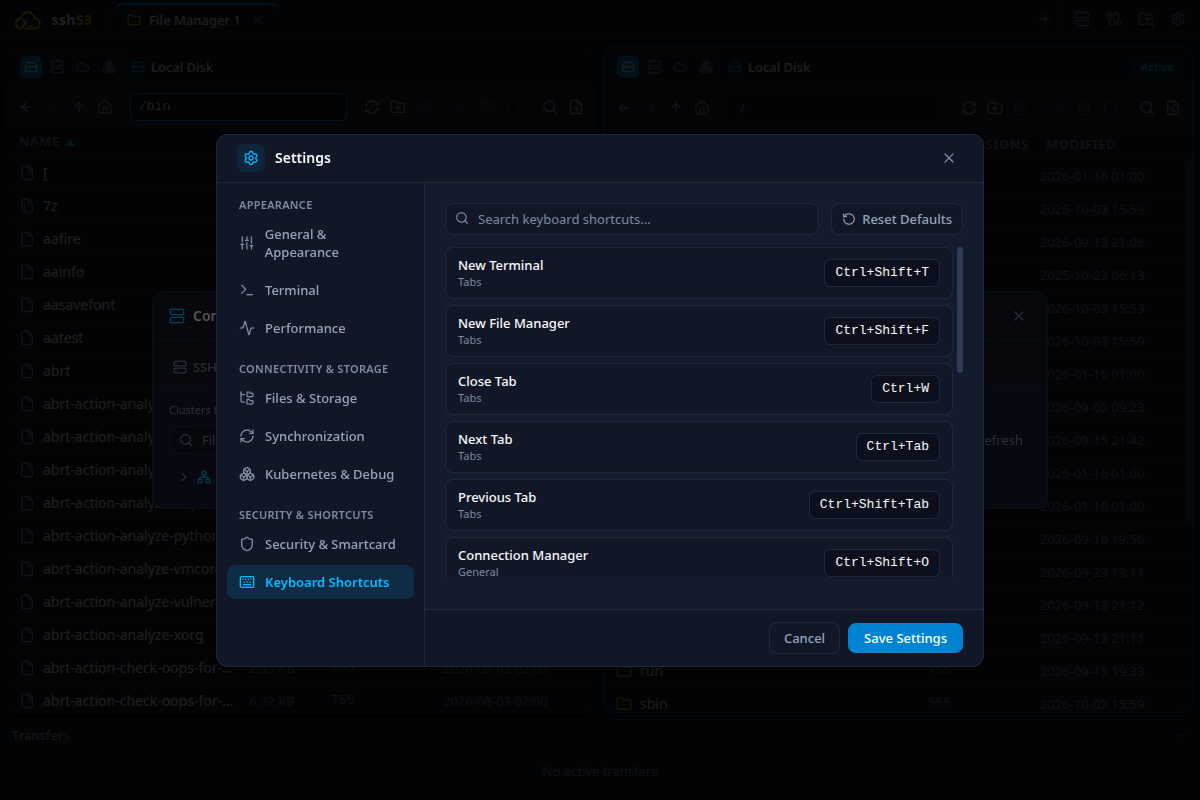
Built-in keyboard shortcuts reference inside application settings
| Shortcut | Action | Context |
|---|
| Ctrl+Shift+D | Split Pane Vertically (Right) | Terminal |
| Ctrl+Shift+E | Split Pane Horizontally (Down) | Terminal |
| Ctrl+Shift+N | Next Split Pane | Terminal |
| Ctrl+Shift+P | Previous Split Pane | Terminal |
| Ctrl+Shift+W | Close Active Split Pane | Terminal |
| Ctrl+T | New Tab / Connection Picker | Global |
| Ctrl+W | Close Tab | Global |
| Ctrl+Tab | Switch to Next Tab | Global |
| Ctrl+Shift+Tab | Switch to Previous Tab | Global |
| Ctrl+F | Find / Recursive File Search | File Manager |
| Ctrl+Shift+F | Terminal Buffer Search | Terminal |
| Ctrl+S | Save File to Remote Target | Monaco Editor |
| Ctrl+N | Create New Profile | Global |
| Ctrl+, | Open Settings | Global |
| Ctrl+Shift+T | SSH Tunnels Manager | Global |
| Ctrl++ / Ctrl+- | Zoom Font In / Out | Terminal |
| Ctrl+0 | Reset Font Zoom | Terminal |