Git Integration & Developer Tooling
Git & Developer Tooling
For DevOps engineers and developers, sshs3 integrates cryptographic Git commit signing, developer SSH key management, and remote key discovery directly within the workspace under Settings → Git & GitHub.
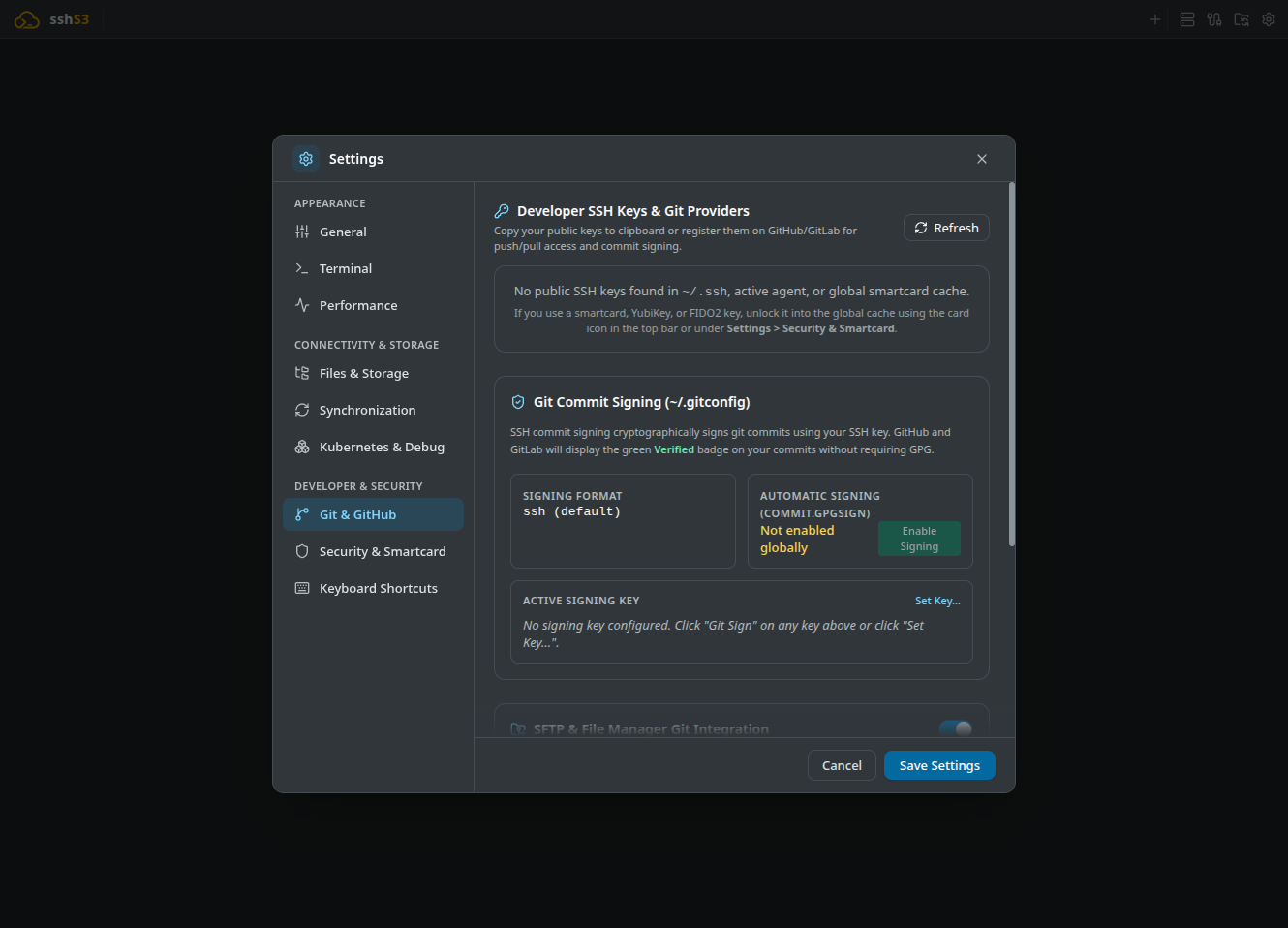
1. Key Discovery & One-Click Provider Registration
Feature: Centralized Developer SSH Key Discovery
🎯 Purpose
Eliminate manual key hunting, copy-pasting, and navigation through provider account settings to authorize SSH keys on GitHub and GitLab.
🛠️ How to Use
- Open Settings → Git & GitHub.
- The application automatically discovers:
- Local key pairs in ~/.ssh/ (id_ed25519.pub, id_rsa.pub, etc.). - Active keys loaded in your running ssh-agent. - Unlocked FIDO2 tokens and smartcard authentication certificates.
- Click Add to GitHub or Add to GitLab next to any detected key.
- sshs3 copies the public key string to your clipboard and opens your default browser directly at the provider's key creation portal (
github.com/settings/ssh/new) with the key title pre-filled!
⚠️ Limitations & Caveats
- Requires an active login session in your default web browser for the target provider.
⚙️ Technical Internals & Architecture
GitConfigService (src/main/git/GitConfigService.ts) and GitKeyFetcher (src/main/git/GitKeyFetcher.ts) scan local key directories, query the agent via ssh-add -L, and use Electron shell.openExternal() to launch targeted provider URLs.
2. Cryptographic SSH Git Commit Signing
Traditionally, cryptographically signing Git commits required configuring GnuPG (GPG), which is notoriously difficult to manage. Git 2.34+ introduced native support for signing commits using standard SSH keys.
git config --global gpg.format ssh
git config --global user.signingkey ~/.ssh/id_ed25519.pub
git config --global commit.gpgsign true
git config --global gpg.ssh.allowedSignersFile ~/.ssh/allowed_signers
Once configured, verify signed commits with git log --show-signature -1:
commit 440f7768a12bc9e2 (HEAD -> main)
Good "git" signature for ops@example.com with ED25519 key SHA256:d8b2...
Feature: One-Click SSH Commit Signing
🎯 Purpose
Enforce cryptographic provenance and origin integrity across your source code and Infrastructure-as-Code repositories (Terraform, Ansible, Kubernetes manifests), earning the verified badge on GitHub and GitLab without GPG.
🛠️ How to Use
- In Settings → Git & GitHub, select your preferred SSH key (e.g., your local Ed25519 key or hardware YubiKey).
- Click Git Sign next to the key (or Sign Active for the current key), and turn on Automatic Signing (commit.gpgsign) if you want every commit signed.
- sshs3 automatically updates your global
~/.gitconfigand maintains~/.ssh/allowed_signersfor offline local signature verification!
⚠️ Limitations & Caveats
- Requires Git version 2.34 or newer.
- The public key must also be registered as a "Signing Key" in your GitHub or GitLab account settings for the green Verified badge to display on web pull requests.
⚙️ Technical Internals & Architecture
Configures global Git settings:
[user]
  signingkey = ~/.ssh/id_ed25519.pub
[gpg]
  format = ssh
[commit]
  gpgsign = true
Populates ~/.ssh/allowed_signers with your identity and public key and configures gpg.ssh.allowedSignersFile, enabling git log --show-signature to verify commits offline without network calls.
3. Remote Public Key Lookup (username.keys)
Feature: Query Public SSH Keys via Web APIs
🎯 Purpose
Inspect and verify public keys belonging to colleagues or open-source maintainers directly from GitHub or GitLab without exchanging keys over unencrypted chat channels.
🛠️ How to Use
- In the Lookup Remote Keys field, type a username (e.g.
torvalds) and select a provider (GitHub, GitLab.com, or your self-hosted GitLab instance). - sshs3 queries the provider API and displays all verified public keys and their SHA256 fingerprints.
- Click any key to copy it or deploy it directly to a server via the
ssh-copy-id GUI!
⚠️ Limitations & Caveats
- Queries public profiles; private GitLab instances require reachable network access.
⚙️ Technical Internals & Architecture
Performs HTTPS requests against https://github.com/ or GitLab's API, parses OpenSSH public key strings, and computes SHA-256 fingerprints client-side.
4. Troubleshooting & Diagnostics Runbook
| Symptom / Error Message | Probable Root Cause | Corrective Action |
|---|---|---|
error: unsupported gpg.format 'ssh' | Workstation Git binary is older than 2.34 | Upgrade Git to version 2.34+ (sudo apt install git or brew upgrade git). |
GitHub displays Unverified on signed commit | Key is not configured as a "Signing Key" | Go to GitHub SSH Settings and ensure the key is registered as a Signing Key (not only Auth). |
Signing failed: agent refused operation | Hardware key (YubiKey) requires user touch | Touch your YubiKey when it flashes to complete the Git commit signature. |
| Remote key lookup returns 404 | Username does not exist or profile has no keys | Verify the username by visiting https://github.com/ in your browser. |